
From The Workbench
Building BadBrik, One Layer at a Time
Boards, power, connections, and the question of what makes a small computer worth carrying. Inside BadBrik’s visible layers, where software choices meet the awkward realities of a portable object.
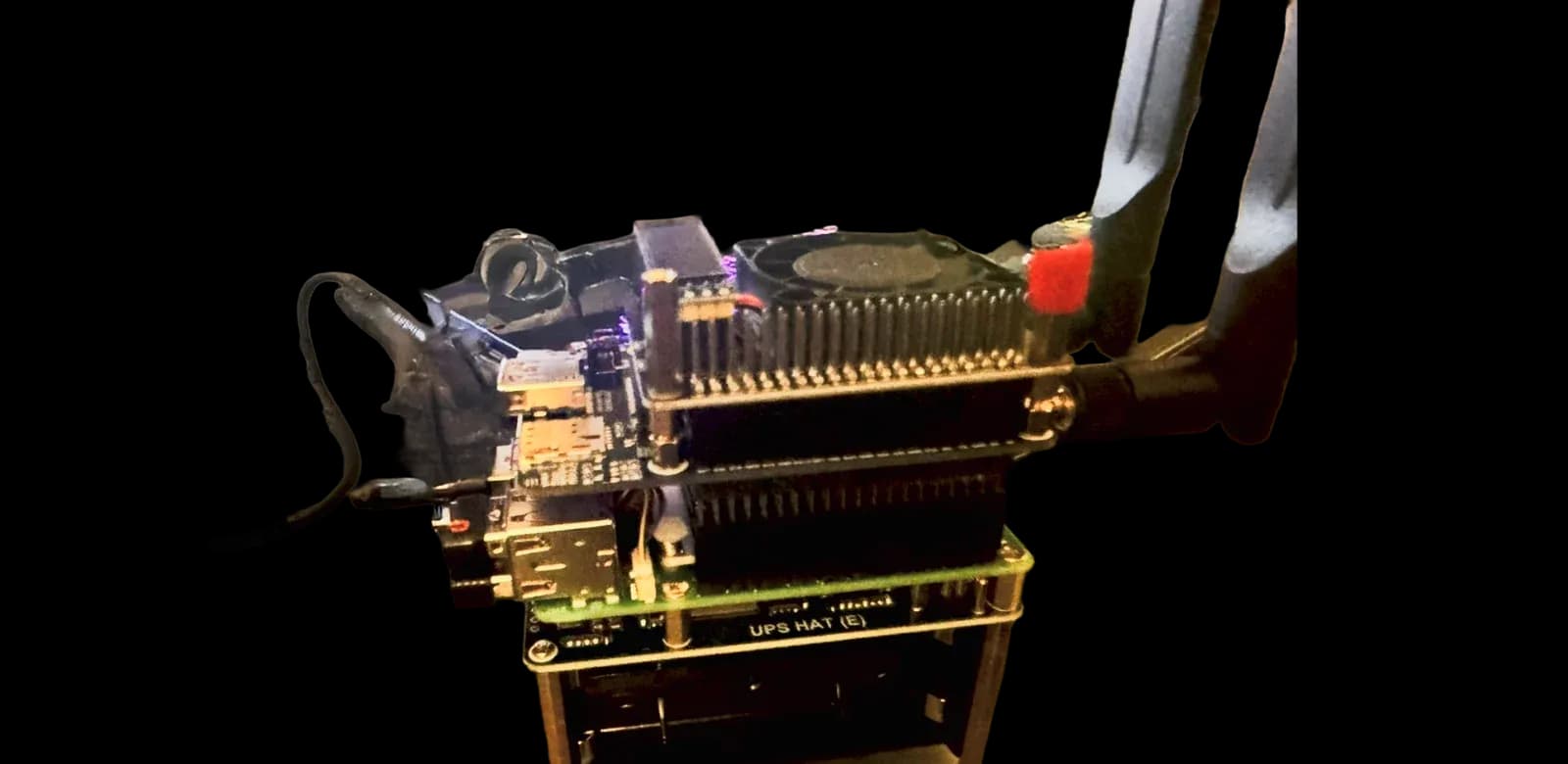
BadBrik board stack with cooling fan, expansion boards, and power layer. Photograph: theProject.
BadBrik is the kind of project that makes a tidy desk give up.
The photographs show a small computer assembled in layers: boards, connectors, a cooling fan, a power board, and expansion hardware. There is a display nearby. There are cables going where the cables need to go. It looks like an experiment because it is one.
That is a useful place to begin. BadBrik is a portable-computing project, not a finished consumer device with a polished list of promises. It asks what happens when a small computer is built around a particular job instead of inherited as a sealed box. Can the screen, power, connections, and software become one understandable instrument? What should it help someone notice? What deserves a button? What can stay on the workbench?
Those questions make a better starting point than a list of impressive parts.
The size changes the question
A laptop is an excellent general-purpose computer. It is also a fairly settled answer. Open the lid, sit somewhere, and work inside the environment its makers provided.
Building a smaller device opens that answer back up. A screen can face a different way. An attachment can have a permanent place. A useful observation can become the first thing visible rather than the third window underneath a browser. A cable that seems harmless at a desk can become the main annoyance when the whole arrangement has to move.
Small computers make these tradeoffs tangible. You cannot keep adding everything forever. Each addition takes space, uses power, produces heat, or makes the object harder to handle. Sometimes it does all four. The enclosure is not an afterthought when the enclosure is your hand.
This is the attraction of BadBrik: the relationship between the software and the thing carrying it is available to change.
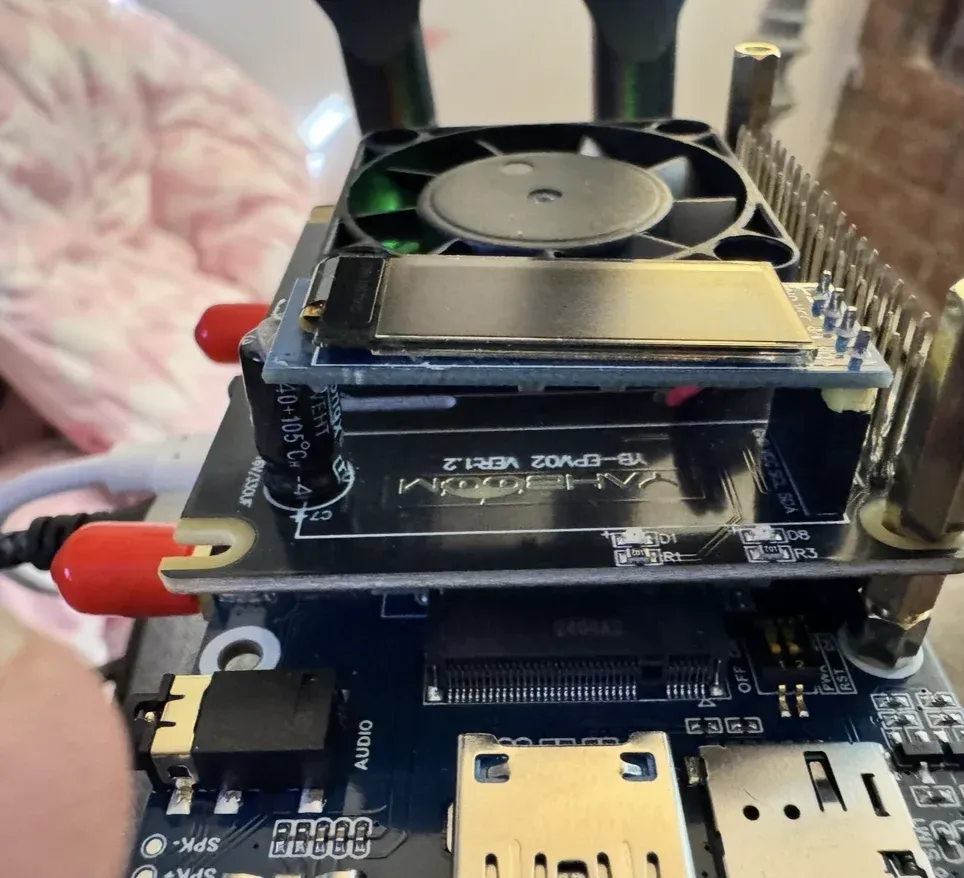
The assembled stack keeps its layers visible. A portable computer has to make room for power, cooling, and connections, not just processing.
A computer built in layers
The current image set records a board-stack build associated with Raspberry Pi hardware. An expansion board is marked as a power module. Another close-up shows a cellular-module board. These are physical observations, not proof that every possible function of those parts is working.
That distinction matters. A radio module fitted to a board is not evidence of a reliable mobile connection. An antenna connector is not a field test. A display showing an interface is not a complete account of what that interface can do.
The wider project material also includes M5Stack devices and references to the ESP32 family of small chips. They belong to the same area of experimentation, but they should not be mixed into one imaginary specification. A Linux board computer and a microcontroller have different strengths, software, and constraints. BadBrik's photographed stack should be described as the build in front of us.
For readers who have never used these parts: a board computer is a computer sold with its electronics exposed. Expansion boards add functions. The challenge is making those parts behave like a considered object rather than a tower of individually interesting purchases.
Power is part of the interface
A portable device is only portable while its power arrangement cooperates.
The photographed power layer is therefore more than a component at the bottom of the stack. It represents an entire set of questions. How does the device start? How does it stop? Can the person carrying it tell what is happening? Can a cable be removed without a surprise? How will the software behave when power becomes uncertain?
The present photographs do not establish battery life or charging performance, and we are not attaching a number to either. Those claims need repeatable measurements under a defined workload. An idle screen and an active collection task are different tests.
There is a design lesson here that applies well beyond hardware. A device's most important state may be the one people notice only when it fails. Showing that state well can matter more than adding another feature.
The connector problem
A workbench forgives loose arrangements. A carried object does not.
The stack photographs show just how much of a build can be taken up by the spaces between parts. Connectors need clearance. Cables need a route. Boards need separation. A fan needs room to move air. An expansion connector needs to remain reachable after the next layer is attached.
The obvious temptation is to solve the visible problem by making a box. But a box can hide a bad arrangement as easily as it can finish a good one. If a connection is awkward before the enclosure, it may be impossible afterward.
This is why the unfinished view is worth keeping. It records the decisions that a finished product tends to conceal. It lets us ask whether a layer earns its position, whether a connector should face another direction, and whether an attachment is helping the intended use enough to justify the trouble.
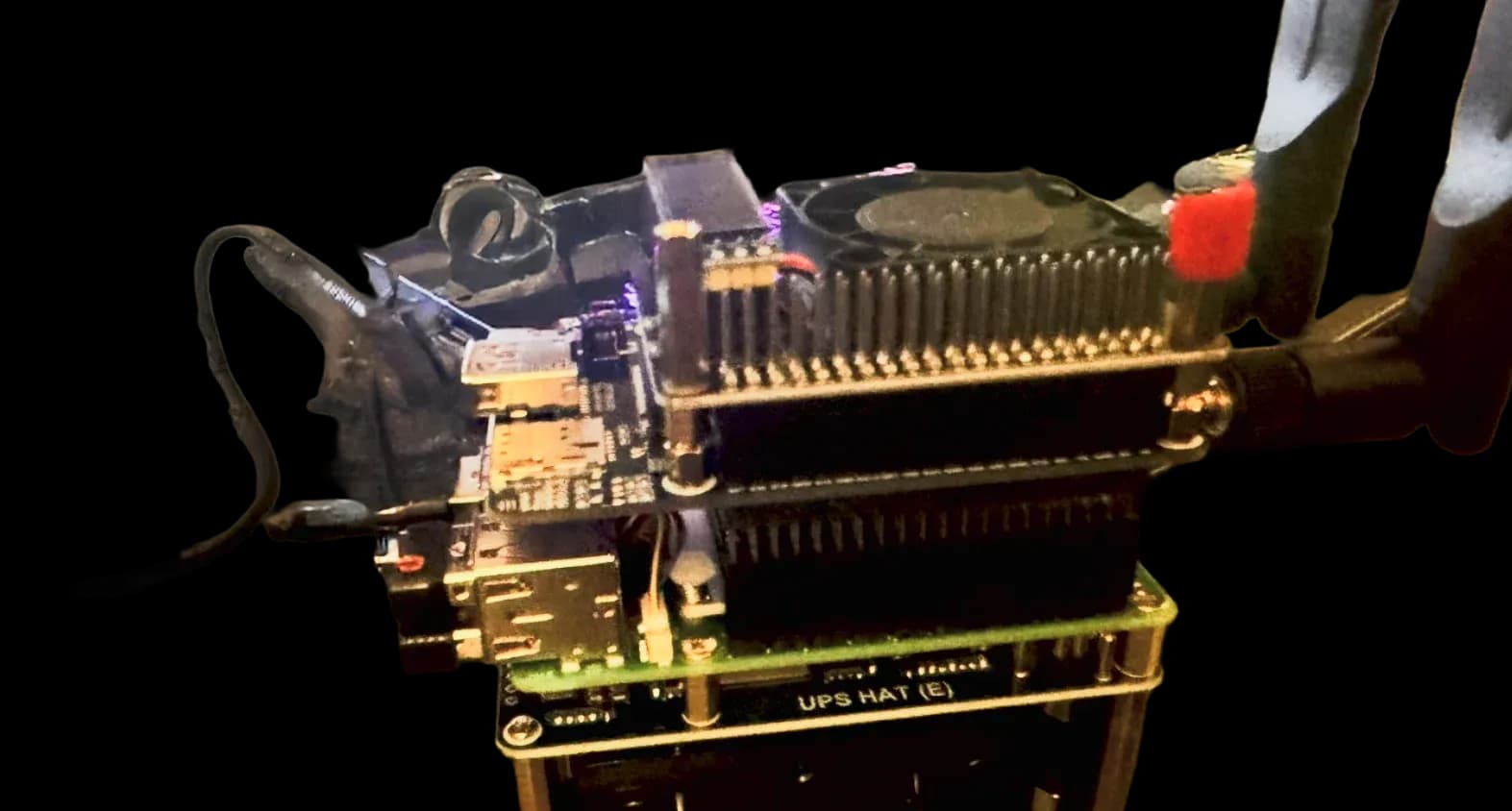
An exposed connection layer makes the packaging problem visible: ports still need room after boards are stacked above and below them.
Software has to choose
The interesting interface for a small field computer is not a miniature desktop full of tiny windows.
It needs priorities. What is the person trying to understand right now? Which information can they read at a glance? What can wait until they are back at a larger screen? Which action should be difficult to trigger by mistake?
These are goals for the project. The interface is still an experiment, and this build is not being announced with a finished application list. The next software milestone should be a small set of tasks that can be repeated reliably, with an obvious way to see whether each task succeeded.
The same restraint applies to planned modules. Positioning, sensors, wireless observation, and network visualization are interesting directions. Each should earn a place through an actual task. A map without a useful question is just a more expensive wallpaper.
A field instrument needs a question
A useful test begins with something more precise than “see what it can do.”
For a device concerned with networks, that might mean understanding an owned network's surroundings or comparing an observation at two authorized locations. For another module, it might mean checking a sensor reading against a known reference. The point is to make the result explainable.
Wireless work also needs a clear boundary. Seeing that a radio network exists does not grant permission to interfere with it. BadBrik's security direction is about owned equipment, authorized testing, defensive learning, and understanding protocols. A protocol is simply a set of rules devices use to communicate.
Understanding what the air around a network looks like can help people build and defend networks. It does not require a story about being dangerous. The engineering is interesting enough on its own.
What worked, and what remains open
The photographs establish a physical build with accessible layers and room to experiment. That is a meaningful result. The project has moved beyond a shopping list into an object whose proportions and connections can be inspected.
They also show why a build is not finished when the boards fit. There is still a gap between an assembly that can be photographed and an instrument someone can depend on. Reliability requires repeated starts, repeatable tasks, predictable shutdown, readable states, and recovery from mistakes.
Those tests are the next standard the project should meet. Keeping that standard visible is more helpful than pretending every rough edge is secretly intentional. Some rough edges are simply unfinished decisions, and they deserve to be treated that way.
The strongest lesson so far is that the boundaries between disciplines are where the interesting problems live. Software choices affect power. Power affects packaging. Packaging affects how a person holds the device. That changes what the interface can reasonably ask them to do.
The next version should remove something
It is easy to imagine the next BadBrik with another module. The harder, more useful question is what the next version could stop requiring.
One fewer cable. One less setup step. A clearer indication that an observation is complete. A task that survives a restart. A screen that explains a failure without sending its owner to a terminal.
Those are modest-sounding improvements. They are also how an experiment becomes a tool.
BadBrik is still being built. The point of showing it now is not to borrow the confidence of a finished product. It is to make the process visible enough that the next claim can be supported by something better than enthusiasm.